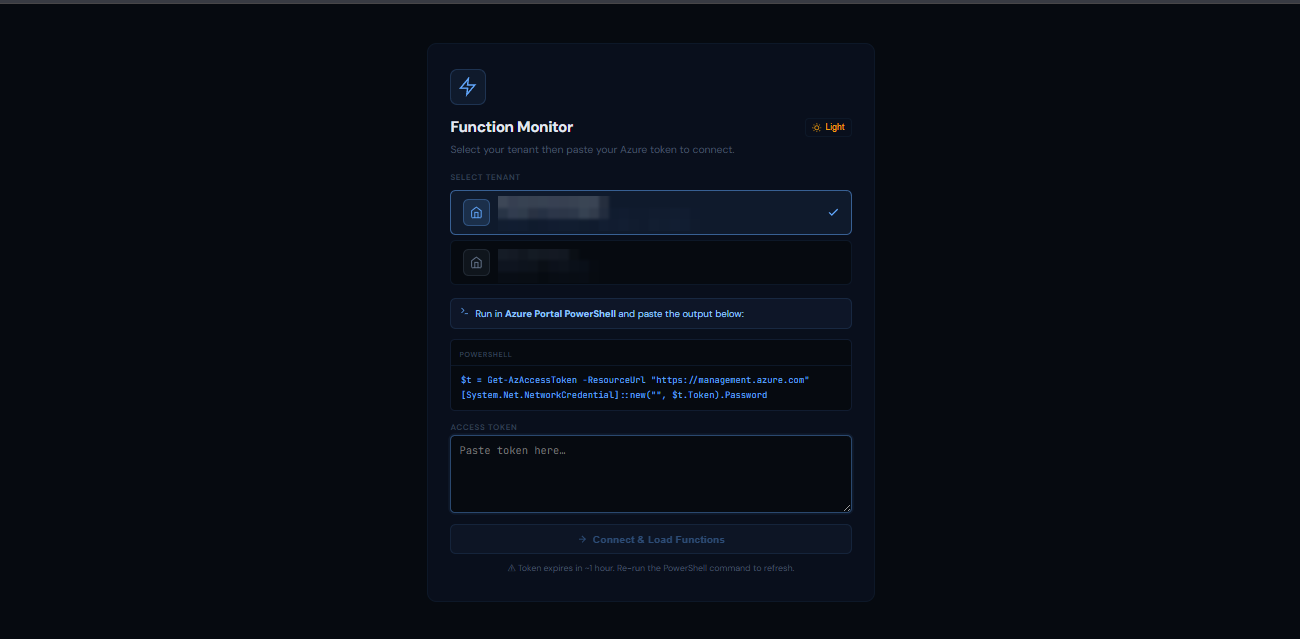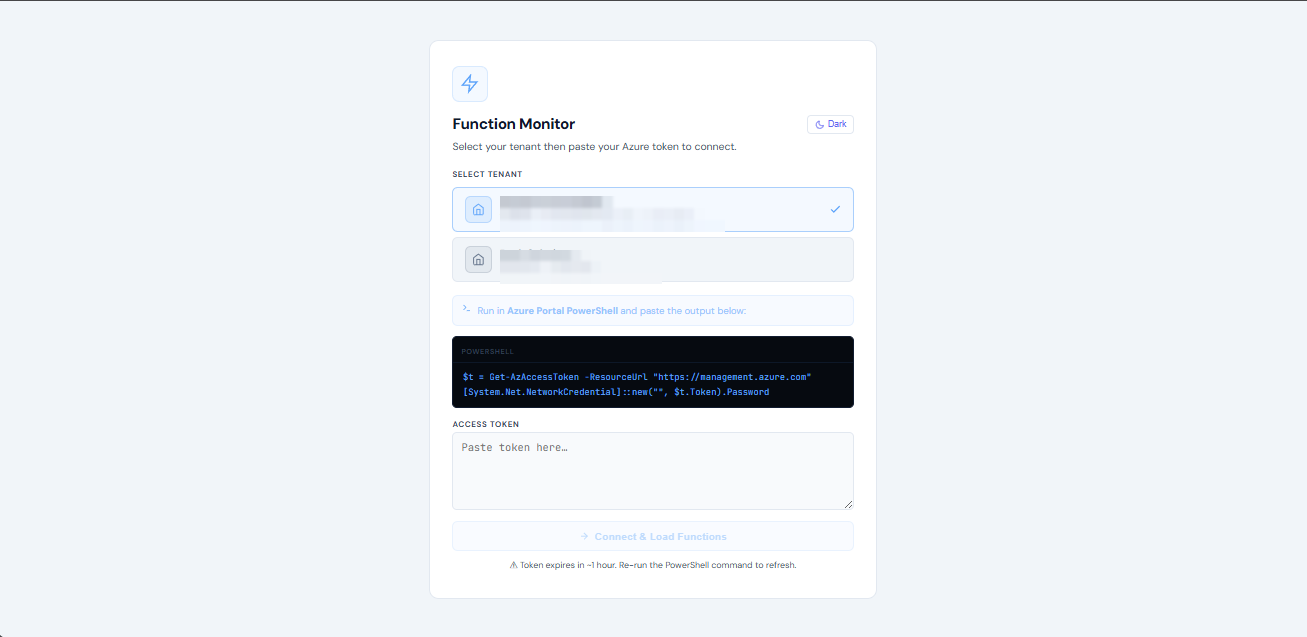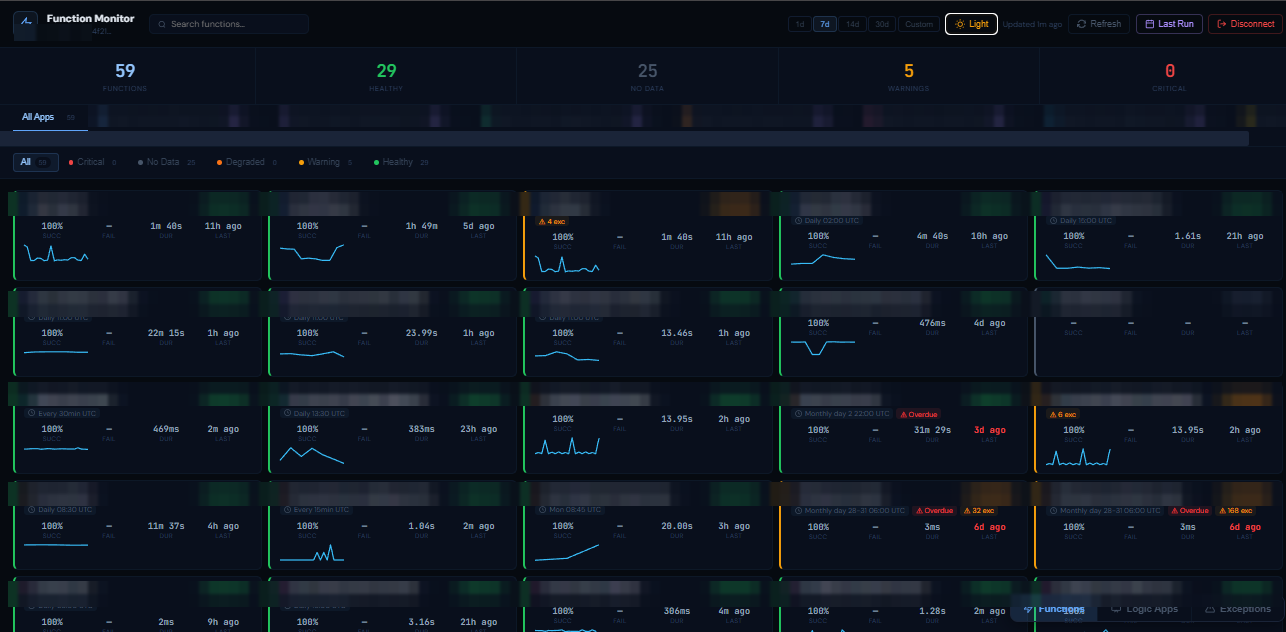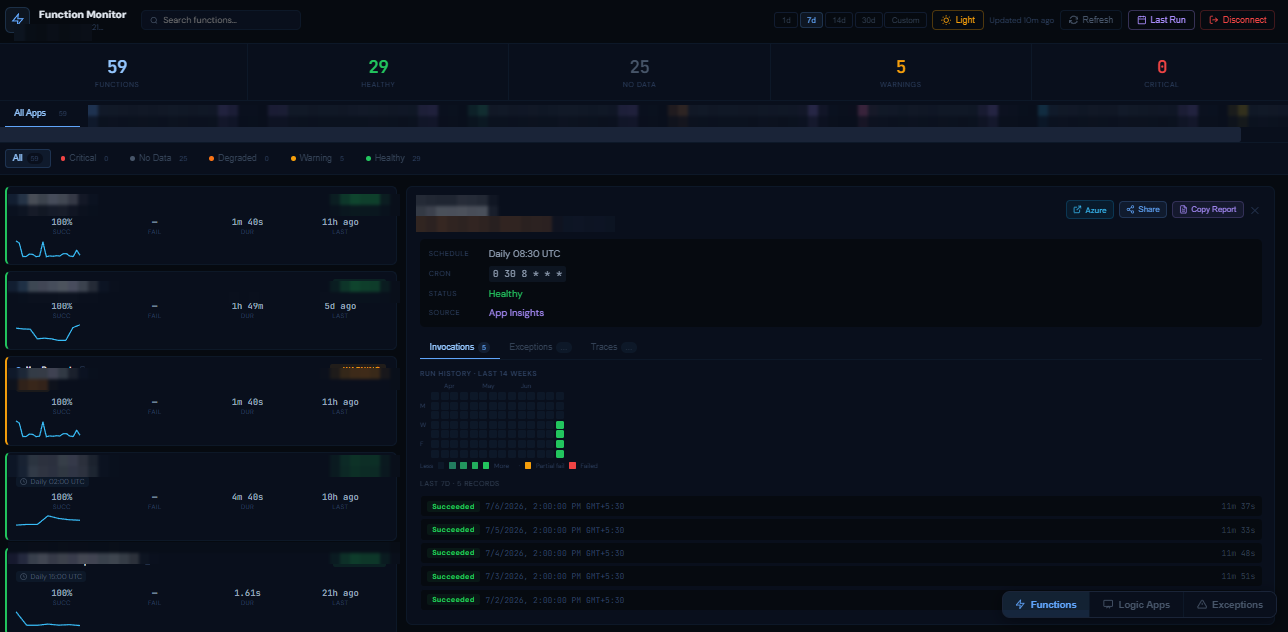
A purpose-built dashboard for real-time monitoring of Azure Functions, Logic Apps and Application Insights — built so support leads and engineers can check whether something's broken without ever opening the Azure Portal.
At a glance
See it in action
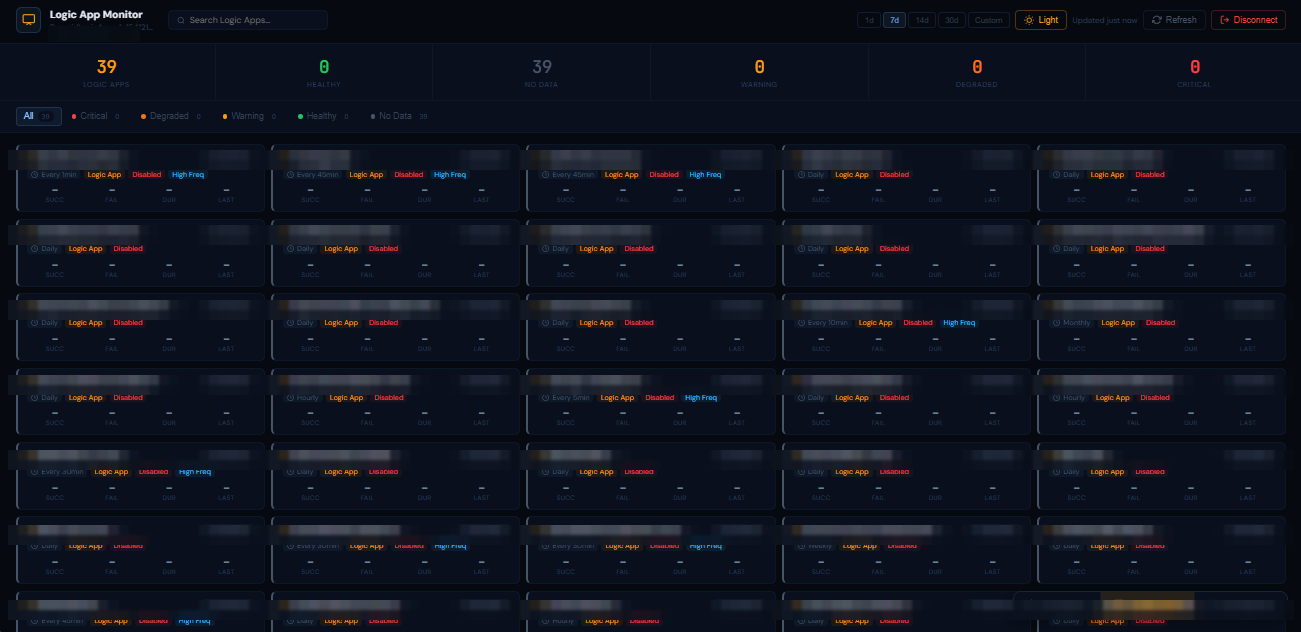
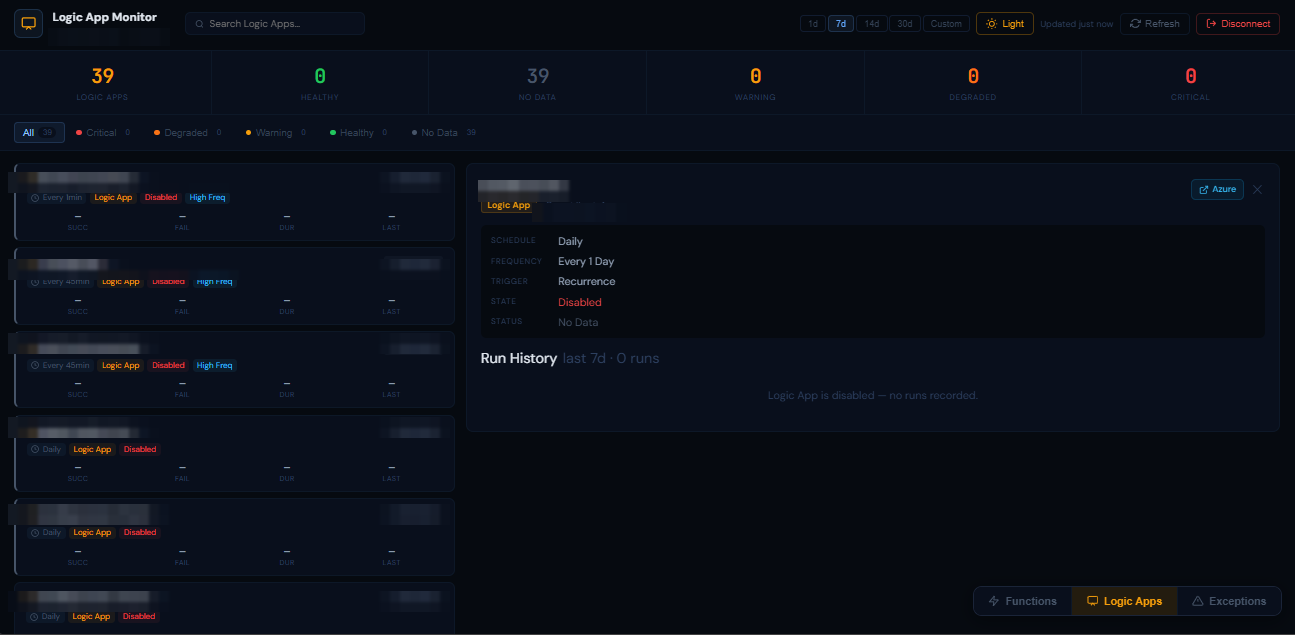
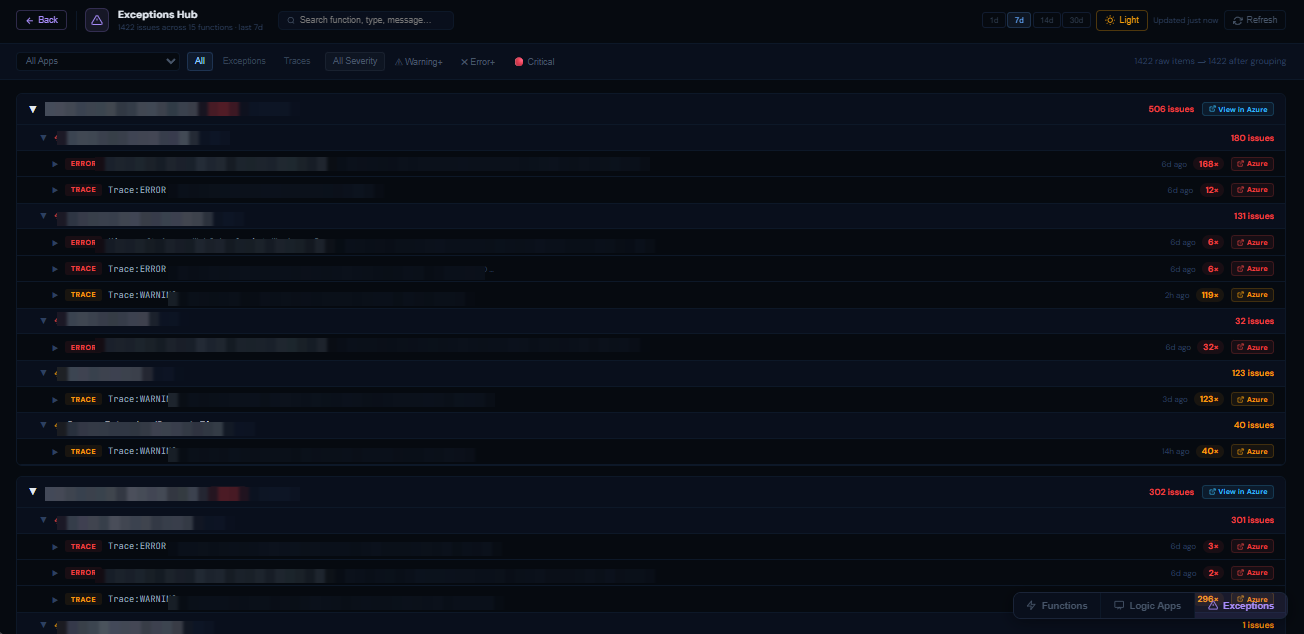
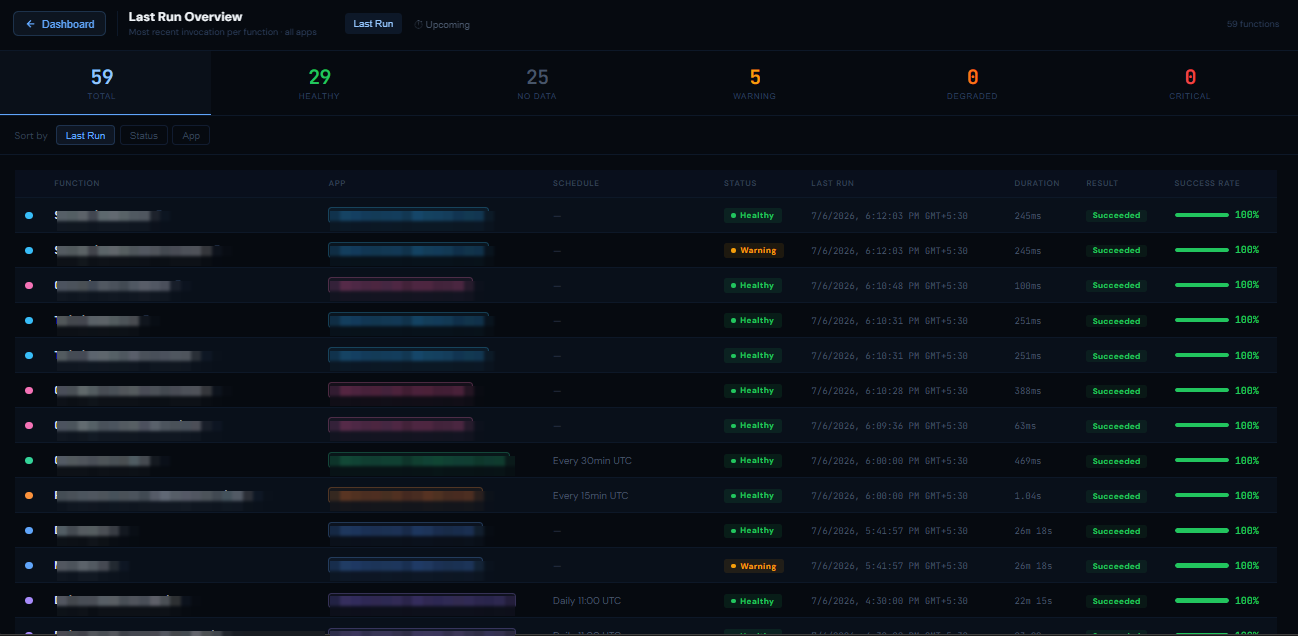
Paste a token, and every function, schedule, and failure across every connected app is visible in seconds — screens below have identifying details blurred.
Why it exists
Azure Functions quietly run a lot of background work — scheduled jobs, integrations, notifications, and more. When something breaks, finding out took longer than fixing it.
Checking invocation logs meant clicking through the Azure Portal for every function, one at a time — minutes of digging just to answer "is it working?"
Azure Functions, Logic Apps and Application Insights live in three separate portals, with no single view across any of them.
Functions can complete "successfully" while quietly logging exceptions — the kind of silent failure nobody notices until a customer does.
Separate Azure subscriptions meant switching contexts entirely just to check a different environment's functions.
What it does
Built with React + Vite, connecting directly to the Azure Management API and Application Insights — no back end, no database, no infrastructure to run.
A compact grid of every function — health, schedule, success rate, last duration and a spark chart, all at a glance.
A GitHub-style 14-week heatmap per function — green for clean runs, amber for partial failures, red for failures.
One table, every function's most recent invocation and result, with a success-rate bar — the fastest way to answer "did everything run?"
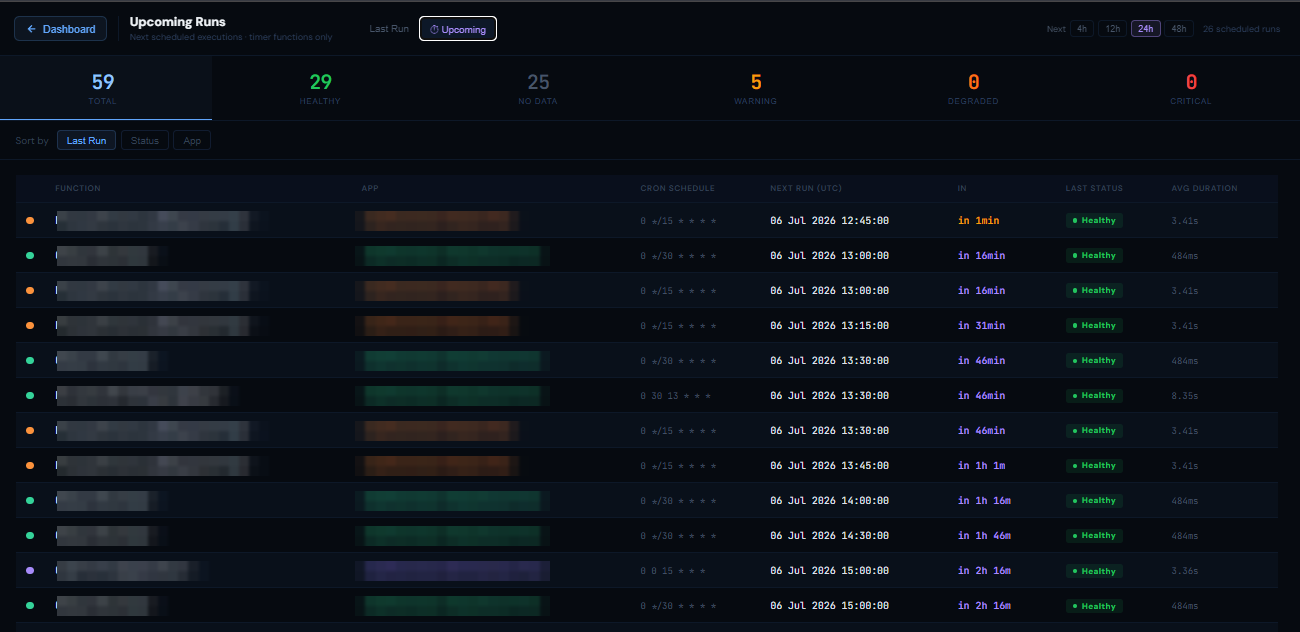
A CRON-powered schedule engine that shows exactly when every timer-triggered function fires next.
The same health-first treatment for Logic Apps — run history, error detail and status cards for every workflow.
Every exception and trace from every Application Insights instance, aggregated into one searchable view: app → function → exception type → occurrence.
Also includes
Multi-environment
Every environment gets its own subscription, resource groups and App Insights setup — and none of them have to look the same. Adding a new one is a single config object; no code changes required.
| Capability | Per environment |
|---|---|
| Function Apps | Optional — connect any number |
| Logic Apps | Optional — connect any number |
| Application Insights | Optional — one or many instances |
| Exceptions Hub | Enabled automatically once App Insights is connected |
Under the hood
Runs entirely in the browser — a static bundle talking straight to Azure's own APIs, secured with a short-lived bearer token pasted in from Cloud Shell.
Zero manual log-checking. Silent exceptions surfaced automatically. One link to share during an incident instead of a screen-share — all from a dashboard that costs nothing to host.